High Quality Print

Low Prices

Free Delivery (UK Mainland)*

Friendly Team of Experts

5 Star Rated By Customers

Order Online Anytime 24*7
In large-format board printing, image resolution plays a vital role in delivering crisp, high-quality, and professional visuals. Whether creating signage, promotional boards, or display materials, having the right resolution ensures that images remain vibrant and detailed when enlarged. Without sufficient resolution, printed visuals can appear blurry or pixelated, affecting overall quality and impact. This makes it important for businesses, designers, and printers to consider resolution early in the design process to ensure the best possible output for their printed materials.
In board printing, ensuring high-quality visuals is paramount. This begins with understanding what is an image resolution. Resolution reflects the detail captured in an image—expressed as PPI in digital files and DPI in printed materials. A higher resolution equates to more detail and clarity, which is crucial when enlarging images for large-format prints.
When preparing artwork for board printing, it’s essential to start with a high resolution photo. But what does a high resolution photo mean? This suggests the image contains enough resolution to remain clear and detailed at larger sizes. Typically, what is considered a high res image is one with at least 300 DPI, especially for print purposes.
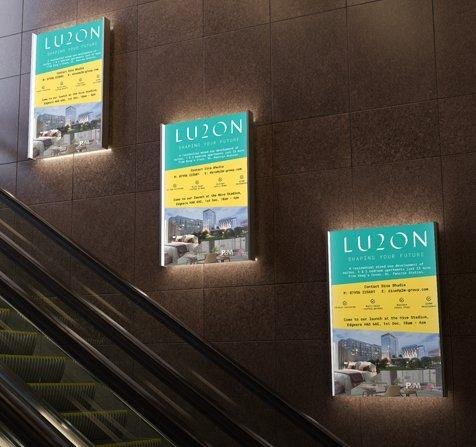
For example, if you’re printing an A4-sized board, you might wonder: what size in pixels is A4? At 300 DPI, an A4 sheet measures approximately 2480 x 3508 pixels. This resolution ensures that the printed material appears sharp and professional—especially important in visually demanding applications such as backlit printing, where clarity and vibrancy are critical.
Understanding what is 300dpi is crucial. It signifies that there are 300 dots (or pixels) per inch, a standard for high-quality prints. To find the pixel resolution at 300 DPI, take the print dimensions in inches and multiply by 300. An 8×10 inch design would equate to 2400×3000 pixels.
In summary, comprehending what makes a photo high resolution and its implications on print quality is essential. By ensuring images meet the necessary resolution standards, businesses can produce impactful and professional printed boards that resonate with their audience. backlit printing
When considering what is higher quality JPEG or PNG, it’s essential to understand the distinct characteristics of each format. PNG files utilise lossless compression, preserving all image data and ensuring that quality remains consistent, even after multiple edits. This makes them well-suited for graphics that demand transparency or crisp lines, such as logos and vector illustrations. In contrast, JPEG files use lossy compression, reducing file size by eliminating some image detail. While this results in smaller files suitable for web use and photographs with subtle colour variations, it can lead to quality degradation over successive edits.
In the context of printing, especially for large-format boards, the choice between JPEG and PNG hinges on the content. For images with intricate details or transparency, PNG is preferable. However, for photographs where file size is a concern, JPEG may suffice, provided the initial resolution is high.
Ultimately, selecting the appropriate format ensures that printed materials maintain clarity and visual appeal, aligning with the high standards expected in professional printing.
In the realm of large-format board printing, ensuring your images are of optimal quality is paramount. Professionals often turn to Adobe Photoshop to refine images, as understanding what is resolution in Photoshop is essential for achieving the desired print clarity. This involves adjusting the pixels per inch (PPI) to match specific printing requirements.
To enhance image quality, one might ask, how to improve image quality in Photoshop? Begin by opening your image and navigating to ‘Image’ > ‘Image Size’. Here, you can adjust the resolution, ensuring the ‘Resample’ option is selected to add or remove pixels as needed. Choosing the appropriate resampling method, such as ‘Bicubic Smoother’ for enlargements, helps maintain image clarity.
Always ensure the resolution is properly set before finalising any design for print. So, how to check picture resolution? In Photoshop, go to ‘Image’ > ‘Image Size’, where you’ll find the current resolution displayed. Ensuring your image is set to 300 PPI is standard for high-quality prints, especially for detailed board displays.
By meticulously adjusting and verifying image resolutions in Photoshop, you ensure that your printed boards—whether for advertising, branding, or estate agent signs—exhibit sharpness and professionalism, meeting the high standards expected in the industry.
In board printing, understanding what is 300dpi is crucial for achieving crisp, professional results. A resolution of 300 dots per inch (DPI) ensures that images are rendered with sufficient detail and sharpness, which is especially important for large-format prints. To determine 300 DPI in pixels, multiply the print dimensions in inches by 300—for example, an A4 board (8.27 × 11.69 inches) would require approximately 2481 × 3507 pixels. This level of detail prevents pixelation and maintains visual integrity, ensuring that text and graphics appear clear and professional on printed boards. Adhering to this standard is essential for producing high-quality prints that meet industry expectations.
Understanding what makes a photo high resolution and its implications on print quality is essential. By ensuring images meet the necessary resolution standards, businesses can produce impactful and professional printed boards that resonate with their audience.

An enthusiastic Graphic Designer professional with strong communication and organisational skills, who is passionate about creating and developing innovative ideas with the client to help them get their business noticed. I work to the highest standards and have an excellent eye for detail with skills in design and organisation. I am a dependable and productive worker whose honesty and integrity provides effective leadership and builds excellent relationships. I enjoy innovatively…

 020 8902 9298
 Quick Quote
 020 8902 9298
  Quick Quote
  Login / Signup