High Quality Print

Low Prices

Free Delivery (UK Mainland)*

Friendly Team of Experts

5 Star Rated By Customers

Order Online Anytime 24*7
In the world of digital design, vector images are a fundamental component. Whether you are designing a company logo, an illustration, or a print-ready graphic, understanding what a vector image is can help you achieve high-quality results.
Read everything you probably need to know about what is vector artwork, how vector files work, and why they are crucial for professional design.
A vector image is a digital graphic composed of paths rather than pixels. Unlike raster images (JPEG, PNG), vector graphics can be resized without losing quality. This makes them ideal for logos, illustrations, and any designs that require scalability.
Feature | Vector Image | Raster Image (Bitmap) |
Scalability | Infinite | Loses quality when enlarged |
File Size | Small | Large for high resolution |
Format Types | SVG, AI, EPS, PDF | JPEG, PNG, BMP |
Use Cases | Logos, Illustrations, Icons | Photographs, Web Graphics |
Vector artwork refers to graphics created using mathematical equations rather than individual pixels. This allows printing and graphic designers to create clean, crisp visuals suitable for various mediums, including digital screens and print.
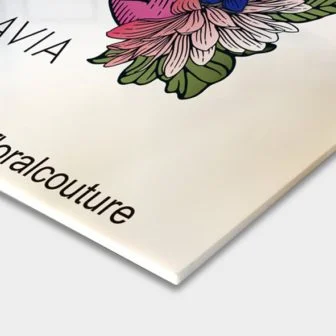
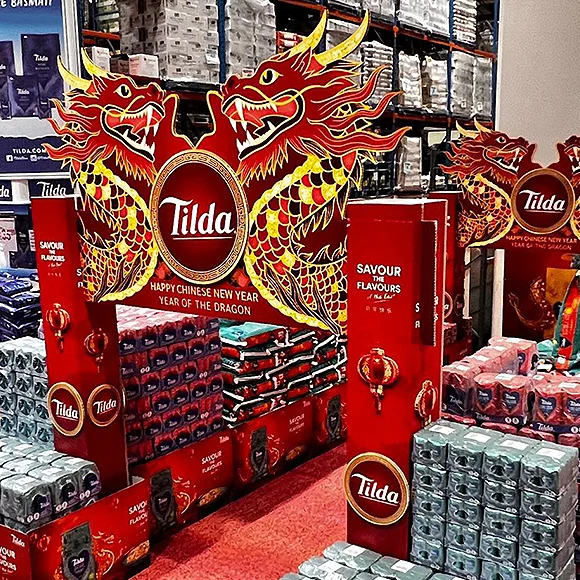
Vector graphics are especially useful in composite board printing, where high-resolution images are required for outdoor signage, retail displays, and exhibition stands. For instance, a shopfront sign with a company logo printed on a composite board at high resolution ensures that branding remains sharp and professional. Similarly, directional signs at trade shows benefit from vector graphics, as text and icons remain clear, even when viewed from a distance.
When designing a logo, it is essential to use a vector format to maintain clarity across all applications. A vector format for logos ensures that the design remains sharp on business cards, websites, and even large-scale banners.
Common vector file formats for logos include:
A vector file format is a type of graphic file that stores image data as mathematical paths rather than pixel grids. This allows images to be resized without loss of quality.
Format | Description |
AI | Adobe Illustrator file, best for editing vector graphics |
SVG | Web-friendly format, ideal for digital graphics |
EPS | High-quality print format |
Universal format for print and digital use |
For more insights on colour formats and their impact on vector files, check out our guide on CMYK vs RGB Printing: Key Differences Explained.
To create a vector image, designers typically use professional graphic design software. Here are the key steps:
Creating vector art involves more than just drawing—it requires precision and planning to ensure smooth curves and clean lines. Here are some pro tips:
Understanding what a vector image is and how to use vector file formats can elevate your design projects. Whether you are working on vector format for logos, digital illustrations, or large-format prints, choosing the right vector tools and file formats is essential for high-quality, scalable graphics.
By leveraging vector artwork, you can create professional designs that remain sharp and visually striking across all mediums.

An enthusiastic Graphic Designer professional with strong communication and organisational skills, who is passionate about creating and developing innovative ideas with the client to help them get their business noticed. I work to the highest standards and have an excellent eye for detail with skills in design and organisation. I am a dependable and productive worker whose honesty and integrity provides effective leadership and builds excellent relationships. I enjoy innovatively…

 020 8902 9298
 Quick Quote
 020 8902 9298
  Quick Quote
  Login / Signup