High Quality Print

Low Prices

Free Delivery (UK Mainland)*

Friendly Team of Experts

5 Star Rated By Customers

Order Online Anytime 24*7
When we talk about design, colour is a key part of what defines the entire look and feel. In digital and print design there are two major colour models you will likely encounter the most, those two being RGB and CMYK. These colour models are incredibly important in creating visuals used for all sorts of mediums in the design process. Though CMYK is generally used on print materials, RGB is critical for digital displays. It’s important to know the difference between RGB and CMYK too, as this is true both in digital and print.
The main application of this colour model is digital screens. It merges red, green, and blue light to create a broad spectrum of colours. Common inclusion of RGB would be websites, mobile apps, and other digital displays. Red, Green, and Blue are the three hues that make up the abbreviation RGB. Digital display devices such as projectors, TVs, and monitors utilise this type. So instead of the hard colours, you can put together these colours in different concentrations and you will have a wide variety of colours.
(Cyan, Magenta, Yellow, and Key – that is Black) is the set of terms associated with that form. CMYK is a subtractive colour model as opposed to RGB (which uses light). How it works is it takes white light and subtracts the colours to make different shades. Combined, these colours create printable colours of the full spectrum. This model is applied to print technologies, for example, digital printing, and in materials such as brochures, posters, and business cards.
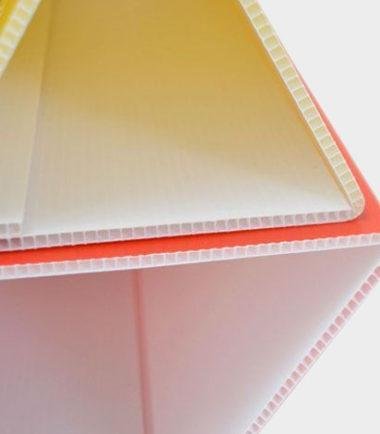
Choosing between CMYK and RGB printing is a common topic when thinking about printing. That’s the solution if you’re printing on the media. As CMYK printing is a physical ink on the paper-based subtractive model, it’s a solid fit for promoting material such as brochures, flyers and even correx boards. Outdoor advertising and signage use Correx boards as a medium. Since the material is often printed in CMYK, it’s important to know how colours travel from digital to print and maintain brand consistency. RGB digital designs are created but then must be converted to CMYK for accurate printing to match the finalised design as seen.
Aspect | RGB | CMYK |
Purpose | Digital displays | Printing |
Colour Creation | Additive (light-based) | Subtractive(ink-based) |
Colour Range | Wider, vibrant colours | Limited, muted colours |
Best For | Screens, websites, apps | Brochures, posters, correx boards |
File Format | JPEG, PNG, GIF, etc. | PDF, AI, EPS, etc. |
Colour representation is one of the biggest differences between an RGB and a CMYK image. In RGB, we have a strong colour range, which is great for digital; in CMYK, we have a more constrained colour range, ideal for print.
It is for this reason that the coloured images in digital images can appear far more brightly and vibrantly than prints, which highlights the difference between RGB and CMYK—a crucial consideration for marketing applications like POS printing, where colour accuracy can influence customer perception.
Let’s take an example: in your design, you’ve got a design with lots of vibrant blue in CMYK that looks great on paper, but in RGB, that design could come out more blue than you were expecting, which can change the way the design looks in my screen.
Here are some tips for effective colour management between RGB and CMYK
A lot of modern design programs (like Adobe Photoshop and Illustrator) can easily switch to colour mode. These tools do this automatically, changing colours to match the mode so that an RGB blend will look more like an RGB blend when you switch to CMYK or vice versa. Whether you’re converting CMY to RGB or vice versa, these tools ensure colour accuracy.
If your monitor is off, or not calibrated to display RGB Colours correctly, you can get red or cyan text for any digital design. The first helps to make sure that the colours you see on screen are the colours you’ll see when you print. Check Print Proofs:
Always request a print proof before completing production. This allows you to see how your design will look on your sheet (print) and make any necessary changes.
If working with physical materials such as laser-cut acrylic letters or any other material, make sure that the printer you choose has experience working with colour conversion needs and can print CMYK-based designs.
Whether printing on paper or digitalising your media RGB and CMYK all work very well together and maintain a core relationship within design. Understanding how to switch between the two colour models will save you significant amounts of time while also allowing you to achieve consistency between the final print and the digital versions. Understanding the difference between RGB vs CMYK is critical. With this knowledge, designers will know that their colours appear just as they anticipate them, no matter if they are being viewed on a screen or correx boards/laser cut acrylic letters. Ensure colour accuracy in your printed designs. Let Board Printing Company handle your CMYK printing needs—contact us for more information!

An enthusiastic Graphic Designer professional with strong communication and organisational skills, who is passionate about creating and developing innovative ideas with the client to help them get their business noticed. I work to the highest standards and have an excellent eye for detail with skills in design and organisation. I am a dependable and productive worker whose honesty and integrity provides effective leadership and builds excellent relationships. I enjoy innovatively…

 020 8902 9298
 Quick Quote
 020 8902 9298
  Quick Quote
  Login / Signup